When the AI agent can be steered remotely: build the device gate first
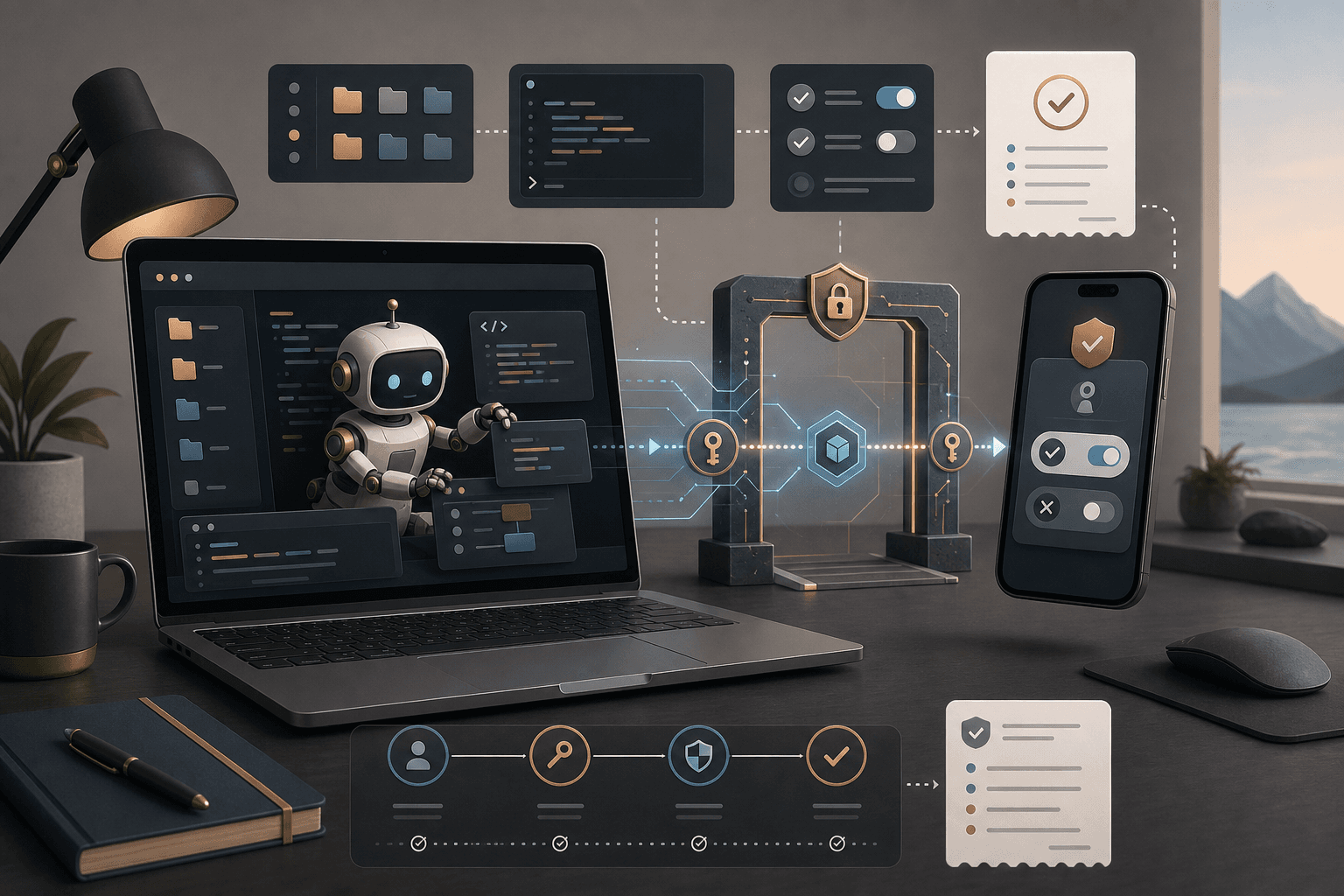
What started as a convenience feature is turning into a real security question: the AI agent runs locally on a computer, but can be watched and steered from a phone or browser.
That sounds harmless. You approve one step from the train. A colleague checks progress. A developer continues a job from a phone. But the same convenience changes responsibility: which device may see the session, who may press approve, which projects must never be opened remotely, and how do you stop everything if a phone is lost?
Claude Code and OpenAI Codex now point to the same work pattern from two directions. Anthropic added Trusted Devices for Remote Control in Team and Enterprise, letting admins require members to verify their device before viewing or steering local Claude Code sessions remotely. OpenAI describes Codex Remote as generally available, with the ChatGPT mobile app used to start or continue Codex work on paired Mac or Windows hosts.
Source: Claude release notes: Trusted Devices for Remote Control and OpenAI Codex changelog
The point is not that Claude Remote Control and Codex Remote have identical security models. They do not. The point is that remote steering moves agent work from “I am at my computer and can see the whole context” to “several approvals, screens, and devices can be part of the same run”. Normal login is not enough. You need a device gate.
What a remote agent device gate is
A remote agent device gate is a small mix of policy, configuration and habit. It answers one question before the feature spreads: which devices may view, continue or approve local agent work?
It does not need to become a large security project. For a first Hammer setup, six decisions are often enough:
- Paired devices: which phones, browsers or computers may connect to local agent sessions?
- Project boundaries: which folders, repositories, customers or cases must never be opened through remote steering?
- Approvals: which actions may be approved from a phone, and which require the owner to sit at the work computer?
- Log: what is recorded when someone steers, approves, stops or changes device?
- Unpairing: how do you disconnect a device quickly?
- Emergency stop: who may stop sessions if a device is lost, an account leaves the organization or a project turns out to be more sensitive than expected?
This is related to permissions, but it is not the same thing. A user can be the right person and still be on the wrong device, network or screen for a specific agent decision.
Why normal login is not enough
Claude Remote Control documentation says the Claude Code session continues to run locally on the user’s machine. The local environment may include the file system, MCP servers, tools, project configuration and local paths. Anthropic also says Remote Control is a research preview, available on all plans, but turned off by default in Team and Enterprise until an Owner enables it in admin settings.
Source: Claude Code Remote Control docs
That makes remote control useful. It also makes it different from a normal web app. If the agent can see local files, suggest terminal steps or use project-specific tools, the remote device becomes part of the workspace. A phone is no longer only a notification screen. It can become an approval surface.
Claude Code security documentation describes a permission-based approach: read-only by default, explicit approval for sensitive actions, and rules at user, project, or organization level. That is useful. But an approval prompt is only as strong as the surrounding context. If someone approves from a small screen without seeing the repository, diff, log or risk, the approval is weaker than it looks.
Source: Claude Code security docs
So a device gate should not only ask “is the user logged in?”. It should ask “is this device and situation reasonable for this kind of decision?”.
Codex Remote makes the same question ordinary
OpenAI’s Codex changelog describes Codex Remote as generally available on June 25, 2026. Users can use the ChatGPT mobile app to start or continue work on a connected Mac or Windows host, review progress and approve actions from their phone. The changelog also mentions one-to-one QR pairing, updating both the mobile app and Codex App, and re-pairing some older inactive connections.
Source: OpenAI Codex changelog
For organizations without a large IT team, this is the practical risk: the feature feels like a productivity detail, not a new governance surface. But if the team uses Codex, Claude Code, MCP servers, local repositories and remote approvals in the same week, it already has an agentic workspace. That workspace needs operating habits.
This does not mean shutting everything down. Remote steering can be reasonable for low-risk work: watching a long test run, reading status, approving a harmless next step or continuing an isolated experiment. But customer data, production code, finance workflows, HR material and legal documents should not silently inherit the same default mode.
Put the boundary around the decision, not the tool
It is tempting to make the list tool-based: Claude may do this, Codex may do that, the phone may do this. Start with decision types instead.
A simple first split:
- View status: usually acceptable from a remote device for low-risk jobs.
- Reply to the agent with a new instruction: acceptable if the project is low risk and the instruction does not grant new permissions.
- Approve reading or analysis: often acceptable, but log source and project.
- File changes: requires diff, test plan and clear rollback.
- Terminal commands: need extra care, especially if the command touches files, network, credentials, or deployment.
- External action: email, invoices, CRM, calendar, publishing, customer systems and orders should normally require the work computer, a larger screen or a separate human check.
This makes the policy easier to live with. Nobody has to remember every product detail. The team needs to know which decisions are small enough for a phone and which ones should wait.
The 30-minute check before enabling remote steering
Before remote steering becomes normal, gather the workflow owner, a technical/IT person and the person who will actually use the agent. Walk through this in 30 minutes:
-
Choose one pilot project. Do not choose the whole repository, the whole customer folder or the whole business. Choose one bounded agent job.
-
Write down which devices may pair. Personal phone? Work phone? Browser on a private laptop? Managed devices only? Decide before links and QR codes start circulating.
-
Set the maximum level for remote decisions. For example: the phone may show status and approve reading, but not file changes, terminal commands or external actions.
-
Create a stop rule. If the agent asks for a new credential, opens an unexpected folder, wants to run a network command or proposes deployment: stop and move the decision to the work computer.
-
Test unpairing. Pair a device, run a low-risk job, disconnect the device and confirm that it can no longer steer the session.
-
Keep a receipt. Log session, project, paired device, decision, approvals, errors, stops and who followed up.
That is not bureaucracy. It is what lets remote steering become usable without turning into another invisible shortcut.
The Hammer angle: build the gate around a real workflow
In Tool Forge work, we do not start with a policy PDF. We start with a real workflow where remote steering actually saves time: a long-running test, an internal report run, a coding agent waiting for review, or an AI assistant preparing a case but not sending anything externally.
Then we draw the gate:
- Who owns the session,
- which device may steer,
- what may be approved remotely,
- what must wait,
- which log is needed,
- and how you roll back if something feels wrong.
If the routine needs to be taught to more people, it becomes Skill Forge: short instructions, stop-rule examples, exercises with test data and a clear habit for not approving too much from too small a screen.
Remote AI agents are useful because they remove friction. A device gate makes sure the friction disappears in the right places, not where the decision still needs a human to look properly.
FAQ
What is a remote agent device gate?
A simple policy and technical routine for which devices may view, continue or steer local AI agent sessions and which projects must never be opened remotely.
Why is normal login not enough?
Because a remote-steered agent session can have local file access, MCP servers, terminal access, project configuration and approval prompts that need extra boundaries.
What should be tested before rollout?
Pairing, unpairing, approvals, logs, emergency stop, sensitive folders and what the team does if a phone or laptop is lost.
Which decisions should not be approved from a phone?
External actions such as customer email, invoices, CRM changes, publishing, deployment, personal data or larger file changes should require fuller context and clear human review.
The Forge newsletter
Get new articles in your inbox
Pick the topics you care about. No noise, at most one email a week.
We follow GDPR. Unsubscribe anytime.