Gemini in Docs now speaks Swedish. Start with your best old proposal.
Gemini in Google Docs has been able to help with text for a while, but support has felt incomplete for many Swedish teams. The side panel understood Swedish while several of the more practical writing features remained tied to other languages. Google changed that on July 16.
Swedish, Danish, and Norwegian are among the eleven new languages in the updated Docs experience. That makes an ordinary but expensive task more interesting: preparing the next proposal, onboarding letter, project report or information sheet without rebuilding it from a blank document.
The best input is often not a new prompt. It is the old version you already know worked.
What Google has opened up for Swedish documents
Google describes the new Gemini experience in Docs as one place to create, write and refine documents. The feature set includes formatted first drafts, edits across a whole document or selected section, matching an existing writing style and mirroring the format of a source document.
Gemini can also use information from Drive, Gmail, Chat and the web. When you add a specific file as a source, that file is prioritized in the conversation. For a small business or school, this is much more useful than a general chat that tries to guess what your documents normally look like.
Source: Expanded language support for Gemini in Google Docs.
The launch is gradual. Rapid Release domains started receiving the features on July 15, with rollout taking up to 15 days. Scheduled Release domains start on August 1. Google lists eligible plans including Business Standard and Plus, Enterprise Standard and Plus, Education Plus, selected AI add-ons and consumer subscriptions. If the button is missing today, the reason may be the rollout or your plan rather than the wording of your prompt.
There is also a difference between the side panel's older language support and this new set of writing tools. When this article was written, Google's language page still showed the older split while the dated Workspace notice described the new rollout. Check what is actually visible in your account before turning the feature into a fixed team routine.
Source: Supported languages for Google Workspace with Gemini.
A source-grounded document workflow beats a blank chat
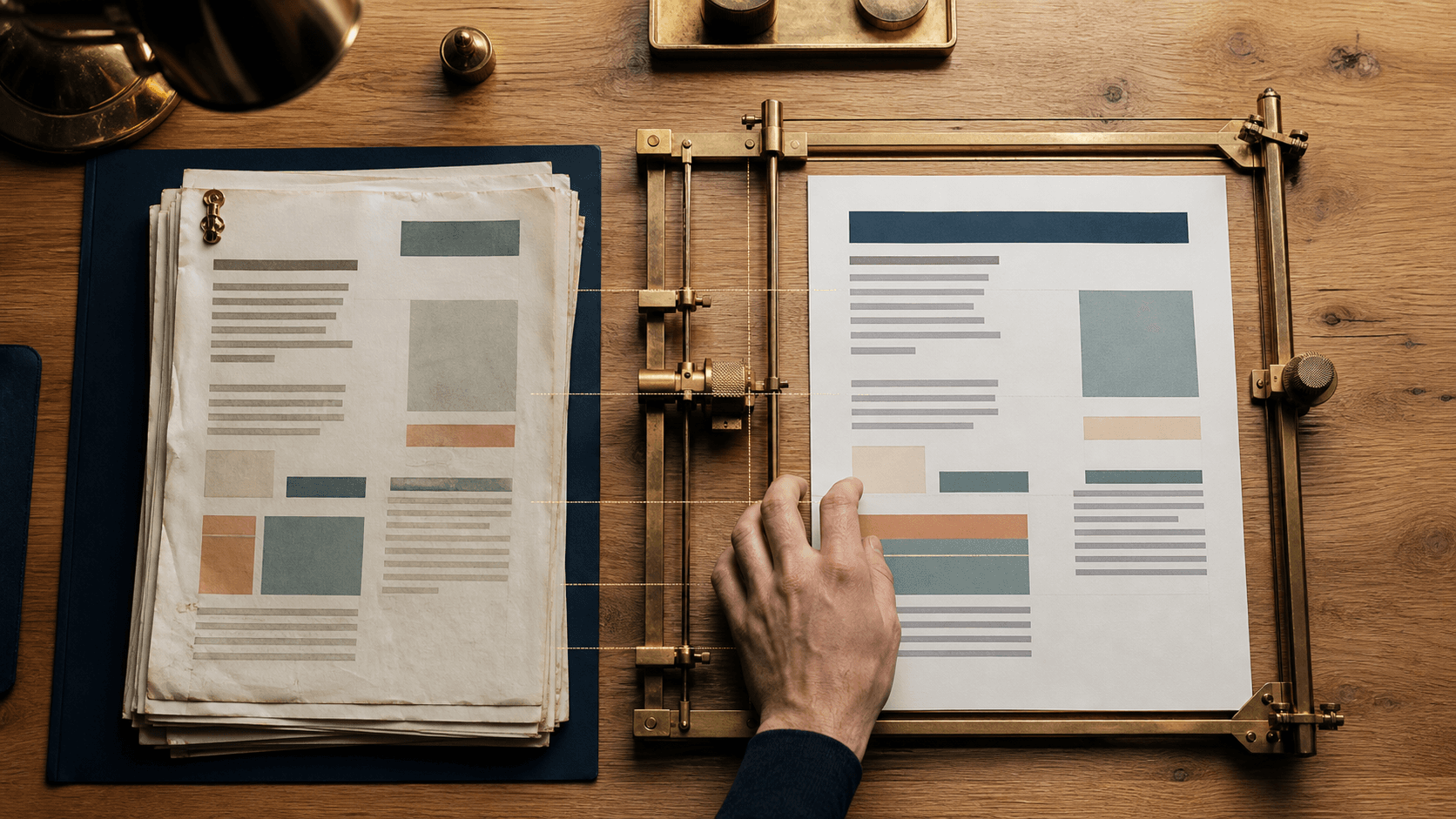
A source-grounded document workflow gives the AI named files to work from instead of a loose assignment and broad access to everything. One file can control structure and tone. Another can carry today's facts. The prompt states what may change, what must remain and how missing information should be marked.
Consider a proposal. The old approved version shows the order of sections, how you describe the work, the usual length and the tone that sounds like your company. A current price list or customer brief holds the facts for the new assignment. Gemini needs both, but the files play different roles.
This is different from asking a chatbot to "write a professional proposal." That prompt often produces readable text that still feels foreign. It may also fill gaps without telling you. An approved model document and a bounded fact source make the review simpler: did the draft follow the structure, and does each important claim come from the right source?
Google Docs lets you add files from Drive and then accept or reject suggested changes. You see the changes before accepting them. That makes the tool a good fit for documents where a person still owns the final version.
Source: Write and edit with Gemini in Docs.
Run a 45-minute document twin test
Choose a recurring document for which you already have a version approved by the responsible person. A proposal works well for a business. A school could use a term-start letter, course description or routine for parents. The test does not need to automate everything. It should show whether a strong model document can reduce editing time without losing facts or voice.
1. Choose the model document
Pick a finished version that still reflects how you want to work. Remove old personal information if it is not needed for the test and give the file a clear internal name. Write down what the model should control:
- Section order.
- Approximate length.
- Tone and level of detail.
- Recurring phrases that should genuinely remain.
Do not choose the most impressive file. Choose the one you would be comfortable sending again after replacing the facts.
2. Collect today's facts separately
Create a short fact sheet for the new version. Include the recipient, objective, scope, prices, dates, deliverables and desired next action. Mark the owner of each fact when several people contribute.
Avoid hiding facts inside a long email thread when a focused sheet will do. A concise fact sheet is faster to check afterward. If the information already lives in a file or email, you can add it as a source, but still list the details that must survive word for word.
3. Bound the sources
Add the model document and fact sheet as named sources in Docs. Google lets you turn search across Drive, Gmail, Chat and the web on or off. The selected files are usually enough for this test. A limited source set makes it easier to understand where wording and numbers came from.
File permissions continue to control access. In a recurring workflow, the folder should have a clear owner, scoped read permissions and simple version history. You do not need to put secrets in the prompt. If the workflow is later connected to other systems, API keys and credentials belong in a secret manager or environment variables.
Source: Learn how to use sources with Google Workspace with Gemini.
4. Run the prompt
Copy the prompt below and replace the text in brackets. Ask Gemini to prepare a proposal first. Do not accept every change immediately.
Create a new English version of [DOCUMENT TYPE].

Use [MODEL DOCUMENT FILE NAME] only as the model for:
- section order
- approximate length
- writing style and level of detail
- document formatting

Use [FACT SHEET OR CURRENT SOURCE] as the source for every new fact.

Assignment:
1. Create a complete draft for [RECIPIENT AND PURPOSE].
2. Keep the structure of the model, but do not copy old names, prices, dates or promises.
3. Preserve these details exactly: [LIST].
4. If a required detail is missing, write [MISSING: WHAT IS NEEDED]. Do not guess.
5. End with this next action: [DESIRED ACTION].
6. Add a short review list of the facts a person must check before sending.

Show the proposal as edits in the document. Start by stating which sources you will use and the role of each source.
The last line is deliberate. If Gemini confuses the model document with the fact source, you want to catch that before it writes the draft.
5. Review in three passes
Do not read from the top and settle for a draft that "sounds good." Split the review:
- Check names, amounts, dates, scope and promises against the fact sheet.
- Compare headings, order, and tone with the model document.
- Read as the recipient and confirm that the next action is clear.
Use Docs' option to accept suggestions one at a time when a change affects facts or terms. If a sentence is useful but factually wrong, correct the source or prompt and rerun that section. Polishing a faulty draft by hand makes the routine harder to reuse.
6. Save the working template, not only the final file
Once the test works, save four things: the model document, fact-sheet headings, prompt and review list. Add a date, owner and the document types for which the routine is approved. You now have a simple working template that another person can run without interpreting an old chat.
What a successful test looks like
Judge the result by the work removed and the errors caught, not by the number of generated words.
After the test, you should be able to answer:
- How long did the first usable draft take?
- How many factual details needed correction?
- Did the document keep your structure and voice?
- Were missing details marked clearly?
- Could a colleague repeat the workflow for another customer or class?
A good result might still require 15 minutes of review, while nobody has to rebuild headings, standard copy and structure. That is a concrete improvement. If almost every paragraph needs rewriting, you probably chose a weak model document, mixed up the source roles or asked the prompt to do too much.
When the workflow is worth extending
After two or three successful runs, you can connect the fact sheet to a form, CRM or project folder. Keep the same principles: named sources, scoped permissions, an approval step and a revision log. The automation should deliver a reviewable document, not send anything without the responsible person's knowledge.
This is a typical Tool Forge assignment. A recurring document process needs to be clear enough to run, review and improve; another writing tool will not solve that on its own. Start with one document type and one real delivery. A week later, you will know more than you would after another general AI demo.
FAQ
Does Gemini in Google Docs support Swedish?
Google started rolling Swedish into the updated Docs experience on July 15, 2026, alongside Danish, Norwegian and other languages. Rollout is gradual and requires an eligible Workspace, education or Google AI plan.
Can Gemini use an old proposal or template as a source?
Yes. In Docs, you can add Drive files as sources and ask Gemini to follow an existing writing style or structure. Keep current prices, dates and other facts in a separate source so the review remains clear.
Does Gemini need access to all of Drive and Gmail?
No. You can add selected files and control which search locations are enabled. A bounded source pack is often easier to review and repeat for a recurring document workflow.
The Forge newsletter
Get new articles in your inbox
Pick the topics you care about. No noise, at most one email a week.
We follow GDPR. Unsubscribe anytime.