The AI agent permission ladder: read, suggest, approve, act

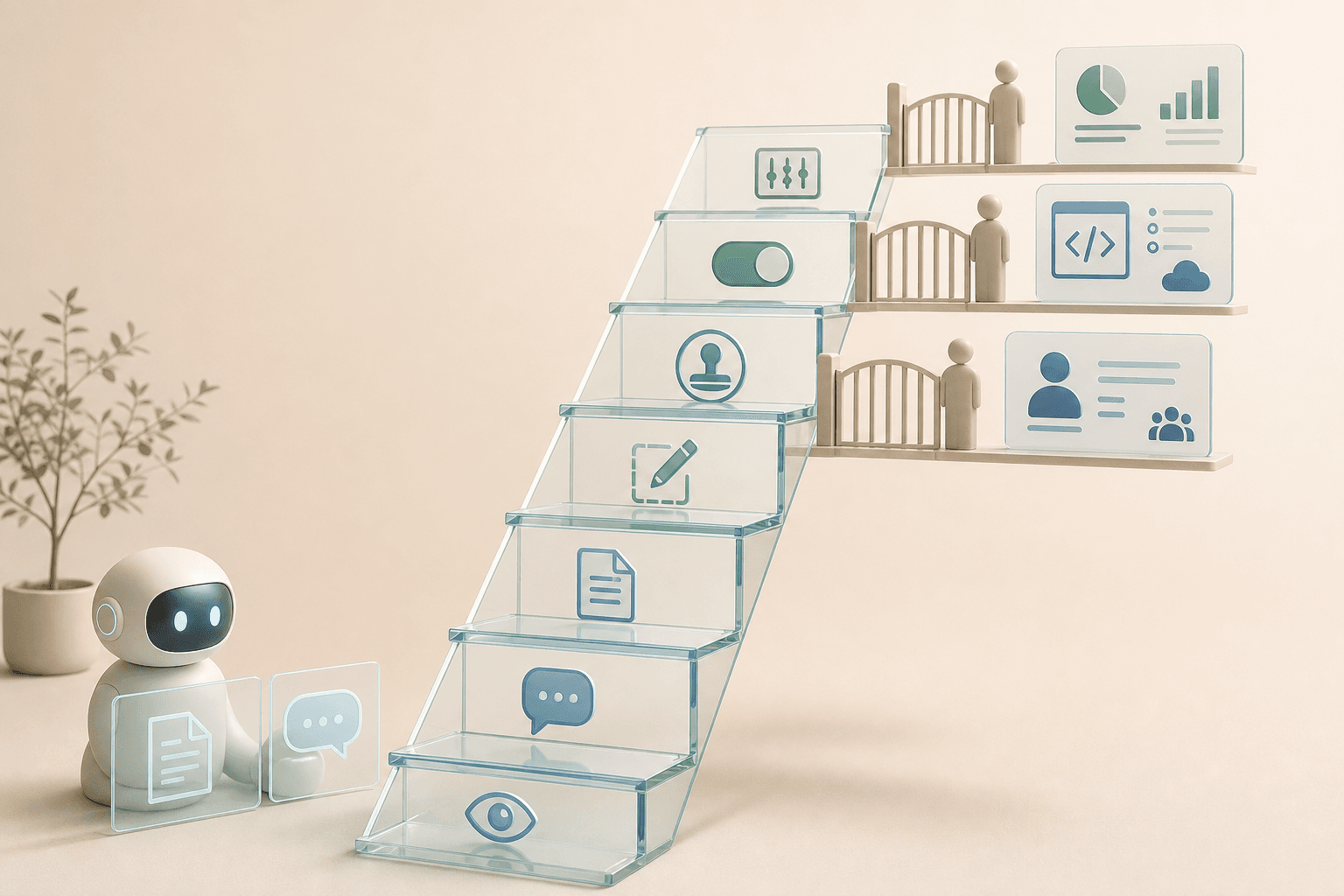
AI agents do not become risky because they can read a Slack channel, a portfolio, or a code repository. The risk appears when reading, suggesting and acting are treated as the same thing. An agent that summarizes material is one thing. An agent that can submit orders, open pull requests or change a customer workflow is something else.
Recent signals from Anthropic, Interactive Brokers and OpenAI point in the same direction: the next practical AI question is not only which model is strongest. It is: at what level may the agent act, and who owns the step upward?
Start with a ladder, not a yes/no permission list
A normal permission list often says “has access” or “does not have access”. That is too blunt for agent workflows. The same data source can be low risk when AI only reads it, but high risk when AI can write back, submit orders, change files or trigger publishing.
Use a permission ladder instead:
- Read: the agent may see bounded material, such as a Slack channel, a document, a portfolio view or a code repository.
- Summarize: the agent may create a status view, but cannot change anything.
- Suggest: the agent may recommend a next step and show why.
- Draft: the agent may write an email, order instruction, patch or CRM note that waits for review.
- Stage a change: the agent may create a pull request, fill in a form or prepare a workflow without executing it.
- Request approval: the agent may send the proposal to the right owner with log, source, test, and risk notes.
- Execute and follow up: the agent may act inside a narrow rule, log the outcome and have a clear rollback path.
The point is not that every organization should climb to the top. The point is knowing which rung you are actually standing on.
Claude Tag shows why the agent needs its own identity
Anthropic launched Claude Tag as a Slack-based beta for Claude Enterprise and Team. Teams can add Claude to selected channels, connect tools and data, and tag @Claude for asynchronous work. Anthropic also describes an access model called agent identity: the agent should not simply borrow a human’s private permissions, but have its own workspace- and channel-scoped identities that admins control.
That distinction matters for anyone building team-based agent workflows. If three people steer the same agent in one channel, the question is not “whose account does the agent borrow?”. The question is “what may this agent do in this room?”.
Source: Anthropic — Introducing Claude Tag and Claude — Agent identity: a new access model for autonomous, team-wide AI
For Hammer readers, the lesson is plain: do not create a shared AI shortcut through one person’s personal account. Start with a bounded workflow, a named agent identity, an owner, and an audit log that people can actually read.
The IBKR example separates suggestions from orders
Interactive Brokers describes AI integrations where ChatGPT, Claude, and Grok can connect to an IBKR account through certified connector marketplaces. IBKR says the connection is built on MCP, Model Context Protocol, a way for AI tools to connect to external systems through bounded tools and data sources.
The important boundary is this: AI can analyze the portfolio and draft trade instructions, but those instructions do not automatically become orders. The user reviews and submits the order in the IBKR platform.
Source: Interactive Brokers — AI Integrations
That model travels well beyond finance. Let AI read, calculate, compare and draft. But when money, customer data, personnel matters or regulatory reporting are involved, the move from draft to action should be visible.
OpenAI Daybreak shows the same pattern for patches
OpenAI describes Daybreak, Codex Security and Patch the Planet as a move from only finding vulnerabilities toward validating, prioritizing, proposing patches, testing and helping humans land fixes. It is tempting to translate that into “AI patches for us”. That is too broad.
A better reading is this: AI can move a lot of work toward better decision evidence. But the patch queue still needs an owner, test evidence, risk assessment, release window and rollback.
Source: OpenAI — Daybreak: Tools for securing every organization in the world and OpenAI — Patch the Planet
The same ladder fits here: find → reproduce → propose patch → create pull request → test → request approval → deploy. Do not jump from “finding” to “production” just because the agent sounds confident.
How to use the permission ladder in a real workflow
Pick one workflow where AI already feels useful, but where you do not want to grant full action rights. Examples include incoming quote emails, student or customer questions, invoice material, support tickets, portfolio analysis or a small internal code change.
Then write down five things:
- Systems and data: what may the agent read, and what must it never see?
- Maximum rung: which level is allowed in the pilot?
- Owner: who may raise the level, stop the workflow or approve an action?
- Receipts: which sources, logs, tests or confidence values must travel with the output?
- Rollback: how do you recover if the agent suggests or does the wrong thing?
If you cannot answer those five points, the next step is not more automation. The next step is mapping the workflow.
A practical pilot: keep the agent at draft level
For many organizations, the right first level is not “AI does the job”. It is “AI creates a reviewable draft”. The agent may read bounded material, summarize, suggest and draft. A human makes the decision.
That may sound slow. In practice, it is often the fastest path to safe automation, because the team learns where errors appear before AI is allowed to write into systems.
In Hammer Automation’s Tool Forge work, this becomes concrete: one workflow, one agent role, one maximum rung, one log and one approval point. Once that works, the next rung can be added with less guesswork.
FAQ
What is an AI agent permission ladder?
A simple model that separates access levels: read, summarize, draft, stage a change, request approval, execute and follow up.
Why is a normal permission list not enough?
Because the same system access can be low risk when AI only reads but high risk when it can submit orders, change files, update CRM or create production patches.
Where should a team start?
Start with reading and suggestions in one bounded workflow. Add write or execute permissions only when owner, log, test, and rollback are clear.
When should an AI agent be blocked from automatic action?
Block automatic action when the workflow touches money, personal data, permissions, customer-critical systems, production, or decisions that are hard to reverse.
The Forge newsletter
Get new articles in your inbox
Pick the topics you care about. No noise, at most one email a week.
We follow GDPR. Unsubscribe anytime.