Google I/O 2026: the AI announcements that will actually change workflows

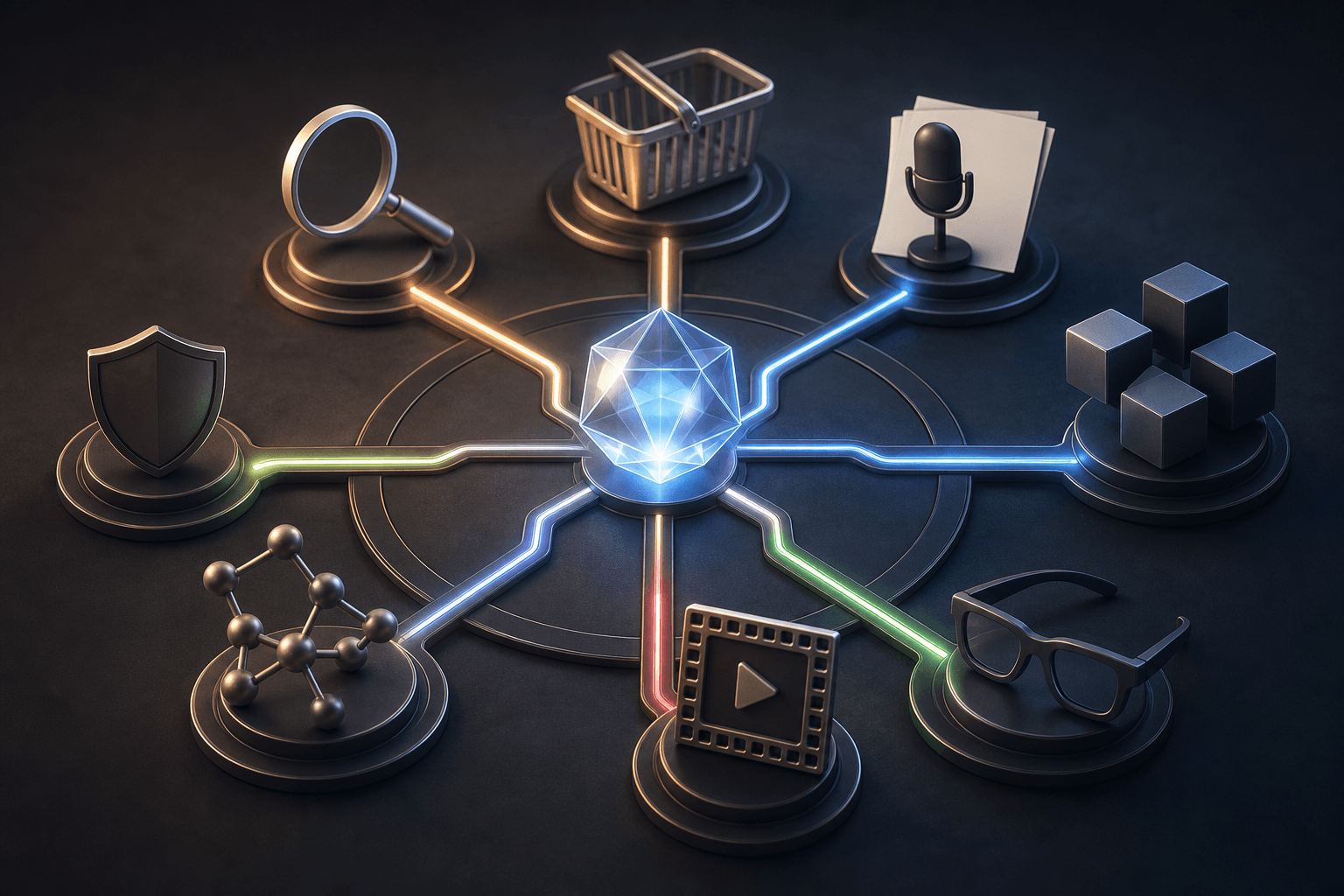
Google I/O 2026 was very heavy on AI. The interesting part is not that Google said "agent" a lot. The interesting part is that several announcements point in the same direction: AI is moving out of a separate chat window and into Search, documents, shopping, code, video, phones and glasses.
For Hammer Automation’s audience in Sweden and the Nordics, the useful question is simple: which of these announcements can become real workflows for a business, a school, an association or a solo operator, and which ones are still mostly keynote theatre?
Sources: Google I/O 2026 on io.google, Google I/O 2026: News and announcements, Google I/O '26 Keynote
What was announced at Google I/O 2026?
The short version: Google presented an agentic Gemini era. Agentic means AI systems that answer, plan, use tools, run code, monitor information and ask for approval when something needs to be done for real.
The main announcement groups were:
- Gemini Omni: a new multimodal model family starting with video. It can create and edit video from text, images, audio and video through natural instructions.
- Gemini 3.5 Flash: the first model in the Gemini 3.5 family, built for fast agent workflows, coding and longer tasks.
- Gemini Spark: a personal AI agent that can work in the background across Google apps, first for testers and then as a U.S. beta for Google AI Ultra.
- AI Search and Search agents: AI Mode gets Gemini 3.5 Flash, a more intelligent Search box, handoff from AI Overviews into AI Mode, background monitoring agents and generative interfaces.
- Agentic commerce: Universal Commerce Protocol, Agent Payments Protocol and Universal Cart aim to let agents help with research, carts, price tracking and payment inside user-set boundaries.
- Workspace: Docs Live, Gmail Live and Talk to Keep make voice a more practical way to create, find and structure information. Google Pics brings AI image creation into Workspace.
- Developer tools: Antigravity 2.0, Antigravity CLI and SDK, Managed Agents in the Gemini API and AI Studio updates make agent building more concrete.
- Android XR and intelligent eyewear: Gemini moves into glasses for navigation, translation, messages, camera use and app actions.
- Creation, research and trust: Flow, Flow Music, Stitch, Project Genie, Gemini for Science, CodeMender API, SynthID and C2PA Content Credentials all received updates.
Sources: I/O 2026: Welcome to the agentic Gemini era, Google I/O 2026 developer highlights
Gemini Omni: video becomes working material
Gemini Omni is Google’s new model family for creating from multiple input types. The first model, Gemini Omni Flash, starts with video. Google describes it as a model that can take text, images, audio and video as input, then create or edit video through conversation.
That sounds creative, but the practical effect is wider than clips for social media. A teacher can make a short explanation of a difficult concept. A local shop can test different ads. An internal project lead can create a visual instruction without booking a studio, an editor and a production day.
The important habit for teams is version discipline. Save the prompt, save the original material, and let someone check whether the video shows the right thing before it is published. Google says Omni-generated videos include SynthID watermarking, but that does not replace human review.
Sources: 15:18 in Google I/O '26 Keynote, Introducing Gemini Omni
Gemini 3.5 Flash and Antigravity: agent workflows become faster and easier to build
Gemini 3.5 Flash is Google’s new fast model for coding, agent workflows and longer tasks. Google says it becomes the default model in the Gemini app and AI Mode in Search, and that it is available in the Gemini API, AI Studio, Android Studio, Antigravity and Gemini Enterprise.
Antigravity is more interesting than another coding assistant. Google describes Antigravity 2.0 as an agent-first environment where multiple agents can run in parallel, work in the background, use subagents and connect with AI Studio, Android and Firebase. The developer blog also describes Antigravity CLI and SDK, plus Managed Agents in the Gemini API, where an agent can reason, use tools and run code in an isolated Linux environment through one API call.
For small teams this means: do not start with "we need an agent". Start with work that is already repetitive and reviewable. Examples: clean up a backlog, compare proposal drafts against requirements, migrate simple code, create test data or write the first draft of an internal instruction. Put the agent behind clear permissions, logs and approvals.
Sources: 21:46 in Google I/O '26 Keynote, Gemini 3.5: frontier intelligence with action, Building the agentic future: Developer highlights from I/O 2026, All the news from the Google I/O 2026 Developer keynote
Gemini Spark and Android Halo: personal agents need operations habits
Gemini Spark was presented as a personal AI agent that can work around the clock under the user’s direction. In the keynote demo, Spark worked in the background across Docs, Gmail, Sheets, Slides and both Android and iPhone. Google says Spark is rolling out carefully: testers first, then a beta for Google AI Ultra in the U.S.
Android Halo is the small but important piece in the same idea. It is meant to show what an agent is doing in the phone’s status area, so you do not lose control when something runs in the background.
This is where many organizations underestimate the work. An agent that works while you do other things needs the same order as a junior colleague: assignment, scope, access, log and a clear "ask before you do this" line. For Hammer, that is a Tool Forge question: do not only build the agent, build the operating model around the agent.
Sources: 33:29 in Google I/O '26 Keynote, The Gemini app becomes more agentic, delivering proactive, 24/7 help, Stay in sync with your agent with Android Halo
Google Search 2026: from search box to workspace
Google Search received one of the most practical updates. AI Mode gets Gemini 3.5 Flash globally. The classic Search box becomes more intelligent and can take longer questions, images, files, video and Chrome tabs where the feature is available. AI Overviews can also continue directly into AI Mode.
Google also presented Search agents: information agents that can monitor something in the background and find the right information at the right time. Generative UI with Antigravity is meant to create more interactive interfaces directly inside Search.
For a Swedish small business owner or school leader, this is a reminder about AEO, answer engine optimization. Customers, students and decision makers will increasingly ask AI systems before they click into a website. Your organization therefore needs clear pages that answer real questions: what you do, who it is for, when you are a fit, approximate cost, constraints and the next step.
Sources: 41:48 in Google I/O '26 Keynote, A new era for AI Search, How AI Mode is changing the way people search in the U.S.
Universal Cart and agentic commerce: the buying journey gets agents
Google presented three building blocks for agentic commerce. Universal Commerce Protocol, UCP, is meant to be a common language for agents and commerce systems. Agent Payments Protocol, AP2, is meant to set boundaries and create a traceable payment mandate chain. Universal Cart is Google’s intelligent cart that can work across Search, Gemini, YouTube and Gmail.
This affects more than ecommerce. It affects anyone selling something that requires comparison, trust and clear product data. Product names, stock status, compatibility, return policy, local delivery terms and pricing logic need to be machine-readable and consistent. Otherwise the agent will choose someone else because they are easier to understand.
Practical test: take one product or service and ask AI to summarize everything a customer needs to know before buying. If the answer is unclear, the problem is usually not the AI. It is usually your information.
Sources: 56:51 in Google I/O '26 Keynote, Introducing the Universal Cart and more ways to help you shop
Workspace, Docs Live and Google Pics: voice becomes a real interface
The Workspace updates are easy to miss next to the big model names, but they are close to everyday work. Docs Live is meant to let the user talk a document into existence and have Gemini structure it. Gmail Live can search and summarize the inbox by voice. Talk to Keep turns speech into organized notes. Google Pics is a new image tool in Workspace built on Nano Banana.
In Nordic organizations this can become useful for meeting notes, lesson planning, first drafts, summaries, recruiting material and simple marketing assets. It does not require everyone to become a prompt engineer. It requires the team to know what counts as good input and what must be reviewed.
A simple rule helps: AI may create the first version, but an accountable person must check facts, personal data, tone and decisions before anything moves on.
Sources: 7:18 in Google I/O '26 Keynote, New ways to create and get things done in Google Workspace
Android XR and intelligent eyewear: AI leaves the screen
Google showed intelligent eyewear built on Android XR, together with Samsung, Qualcomm, Gentle Monster and Warby Parker. Audio glasses arrive first this fall. Display glasses were also shown, but without the same clear launch timing.
The demo showed navigation, messages, calendar help, camera use, image generation with Nano Banana, translation and app actions that can ask for confirmation. The point is not that every company should buy smart glasses this fall. The point is that the AI interface becomes more situational: voice, location, camera, direction and work task blend together.
For education, service, warehousing, visitors, tourism and field work, this is worth watching. But test with clear privacy rules. Camera, audio, location data and customer environments require consent, logs and limited access.
Sources: 1:31:18 in Google I/O '26 Keynote, Intelligent eyewear is coming this fall
Creation, research and transparency: more than consumer apps
Three other groups deserve space.
First, creation tools. Flow and Flow Music get Gemini Omni, Flow Agent, custom tools and mobile apps. Stitch can now design in real time, take voice and code/design files as input, and export onward to AI Studio, Antigravity or Netlify. Project Genie connects with Street View to create interactive worlds from real places.
Then research. Gemini for Science bundles experiments for hypothesis generation, literature insights, computational discovery and Science Skills in Antigravity. Google also mentioned AlphaEarth Foundations and WeatherNext as simulation examples.
Finally, transparency. Google is expanding SynthID and C2PA Content Credentials across Search, Gemini, Chrome, Pixel and Cloud. This is not a magic fix for deepfakes, but it is a step toward better provenance for AI-generated or edited content.
Sources: New agents, mobile apps and Gemini Omni for Google Flow and Google Flow Music, We’re introducing new ways to design in real time with Stitch, Simulate real-world places with Project Genie and Street View, New AI Tools for the Future of Science, Making it easier to understand how content was created and edited
What should a Nordic team try this week?
Pick one area. Not ten.
- If you work with knowledge: test a Docs Live-style or Gemini-style voice workflow for one draft, while keeping human fact review.
- If you sell products: review product data as if an AI agent, not a human, is the first reader.
- If you run education: make a short AI-assisted explanation of a hard concept and let a teacher check the content.
- If you have developers: choose one narrow code or documentation task where an agent can produce a proposal and a human can review the diff.
- If you publish content: create a policy for how AI-generated material is labeled, saved and checked.
Copy the prompt: which Google I/O updates matter to us?
You are my practical AI advisor. Help us decide which Google I/O 2026 announcements are worth testing in our organization.

Our organization: [brief description]
Our most important workflows: [list 3-5]
Our tools today: [Google Workspace, Microsoft 365, webshop, CRM, LMS, code repo and so on]
Data that needs extra protection: [personal data, student data, customer data, finance, contracts]
Team AI maturity: [beginner / experimenting / daily use]

Do this:
1. Choose no more than three relevant Google I/O 2026 announcements.
2. Explain what each one means in plain language.
3. Suggest a test that takes no more than 60 minutes.
4. State what data may be used and what should be masked or left out.
5. List the permissions, approvals, logs and stop rules we need before anything connects to real systems.
6. Define how we know whether the test worked.
How to integrate safely without making AI toothless
The safety advice after I/O is not "never integrate". That is too defensive. The right question is how AI gets enough access to be useful without receiving the keys to the whole organization.
Start with:
- Scoped API keys: use separate keys per agent or workflow, with the least privilege possible.
- Secrets outside the chat: put passwords and tokens in environment variables or a secret manager, not in prompts.
- Sandboxing: keep code and file operations in isolated environments until you trust the workflow.
- Approvals: require a human yes before purchases, external emails, publishing, file deletion or changes in business systems.
- Logs and traceability: save what the agent did, which sources it used and who approved the next step.
- Output redaction: mask personal data and sensitive information before material is sent to external models or shared with the team.
This is where Mindset Forge, Tool Forge and Skill Forge meet: understand what is possible, build one small working flow, and train the team to use it.
Hammer summary
Google I/O 2026 was more than a list of AI features. It showed a clear product pattern: models get faster, agents get tools, and interfaces move into Search, documents, commerce, development and hardware.
For most organizations, the next step is not to chase every new Google feature. The next step is to choose one workflow where AI can already save time, make it measurable, and put control around it from the start.
The Forge newsletter
Get new articles in your inbox
Pick the topics you care about. No noise, at most one email a week.
We follow GDPR. Unsubscribe anytime.