Claude Code gets a control room and goal-driven autonomy
Part of the series: Claude Code release notes
Claude Code gets a control room and goal-driven autonomy
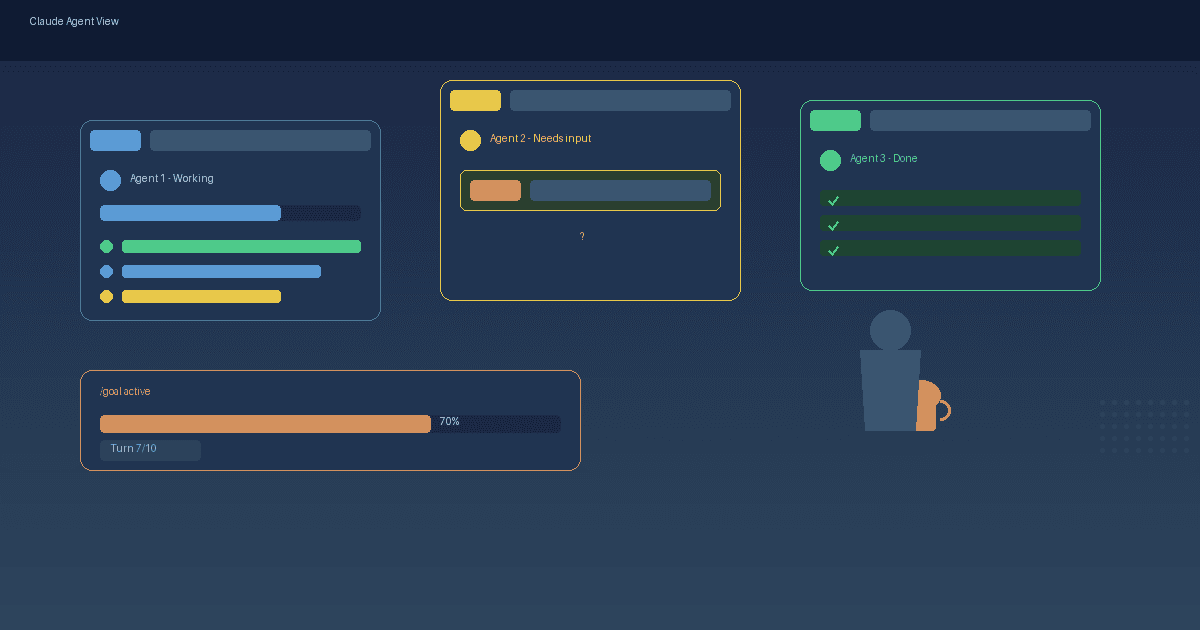
When you delegate tasks to AI, you want to know what is happening without clicking through every session. Claude Code v2.1.139, released May 11, solves this with two new features: Agent View — a single screen showing all your background sessions and their status — and /goal — a command that keeps Claude working until a measurable condition is met. Together, they turn Claude Code from an interactive tool into a self-driving co-worker you monitor from a dashboard.
What is Agent View?
Agent View (opened with claude agents) is a dashboard listing every session — which ones are working, which need your input, and which are done. You can dispatch new background sessions directly from the view, peek at a session's progress with Space, reply to questions without leaving the view, or attach to a session with Enter when you want the full conversation.
Each session runs in an isolated git worktree so parallel agents can write to the same project without collisions. A separate supervisor process keeps sessions alive even after you close your terminal.
Agent View is a research preview and requires Claude Code v2.1.139 or later. Administrators can disable the feature via disableAgentView in managed settings.
Source: Manage multiple agents with agent view – Claude Code Docs
What does /goal do?
The /goal command sets a completion condition. Claude keeps working across turns until the condition is met. After each turn, a small fast model (Haiku) evaluates whether the goal holds. If not, Claude starts the next turn with guidance from the evaluator.
Working example goals:
- "all tests in test/auth pass and the lint step is clean"
- "CHANGELOG.md has an entry for every PR merged this week"
- "src/api.ts is split into modules each under 200 lines"
The goal clears automatically once the condition is met. You can also run /goal clear to cancel early. /goal works in interactive mode, in -p mode, and through Remote Control.
Source: Keep Claude working toward a goal – Claude Code Docs
Who this matters for
Agent View and /goal are not just for large developer teams running dozens of sessions. For a two-person service company letting Claude rewrite client emails, document processes, and fix bugs in an internal tool — all at once — Agent View means you see what is happening from one screen instead of switching between terminal windows. /goal means you can set a concrete target and step away while Claude works through it.
The practical point for small teams: every background session consumes your subscription quota independently. Running five agents in parallel uses quota roughly five times faster than running one. Plan your goals and session count based on what your plan allows.
Other improvements in v2.1.139
Beyond Agent View and /goal, this release includes:
hook args: string[]— an exec form that runs hook commands directly without a shell, so path placeholders never need quotingcontinueOnBlock— a newPostToolUsehook option that feeds the hook's rejection reason back to Claude so the turn can continueclaude plugin details— shows a plugin's component inventory and estimated per-session token cost- Transcript navigation —
?for keyboard shortcuts,\{/\}to jump between user prompts,vto toggle the shortcut panel /scroll-speed— tune mouse wheel scroll speed with a live preview- MCP improvements —
/mcpReconnect now picks up.mcp.jsonedits without a restart and shows the HTTP status when reconnection fails - Remote Control and scheduled tasks are now disabled when
ANTHROPIC_API_KEYis set, so API-key users do not accidentally draw subscription quota
Source: Claude Code v2.1.139 – GitHub Releases
Try this prompt this week
This prompt sets a concrete goal in Claude Code and monitors it from Agent View. It is designed for a small team that wants to clean up a utility module.
/goal all functions in src/utils/helpers.ts have JSDoc comments and the file passes eslint with zero warnings
Instructions:
- Open Claude Code in your project's root directory
- Run the
/goalcommand above (replace the path and lint rules to match your project) - Press
Escto go to Agent View and watch the progress - When the goal is met, a green checkmark appears in Agent View
Evaluation checklist:
- The goal has a measurable endpoint (eslint zero warnings, JSDoc on every function)
- You can see progress in Agent View without opening each session
- The goal clears automatically when met — if not, run
/goal clear - Token usage stays within your plan limits
A natural next step is to structure recurring code-cleanup goals as a Skill Forge exercise: document which goal works best for your codebase and run it weekly.
The Forge newsletter
Get new articles in your inbox
Pick the topics you care about. No noise, at most one email a week.
We follow GDPR. Unsubscribe anytime.